For Organization Admins
The org dashboard
The org dashboard
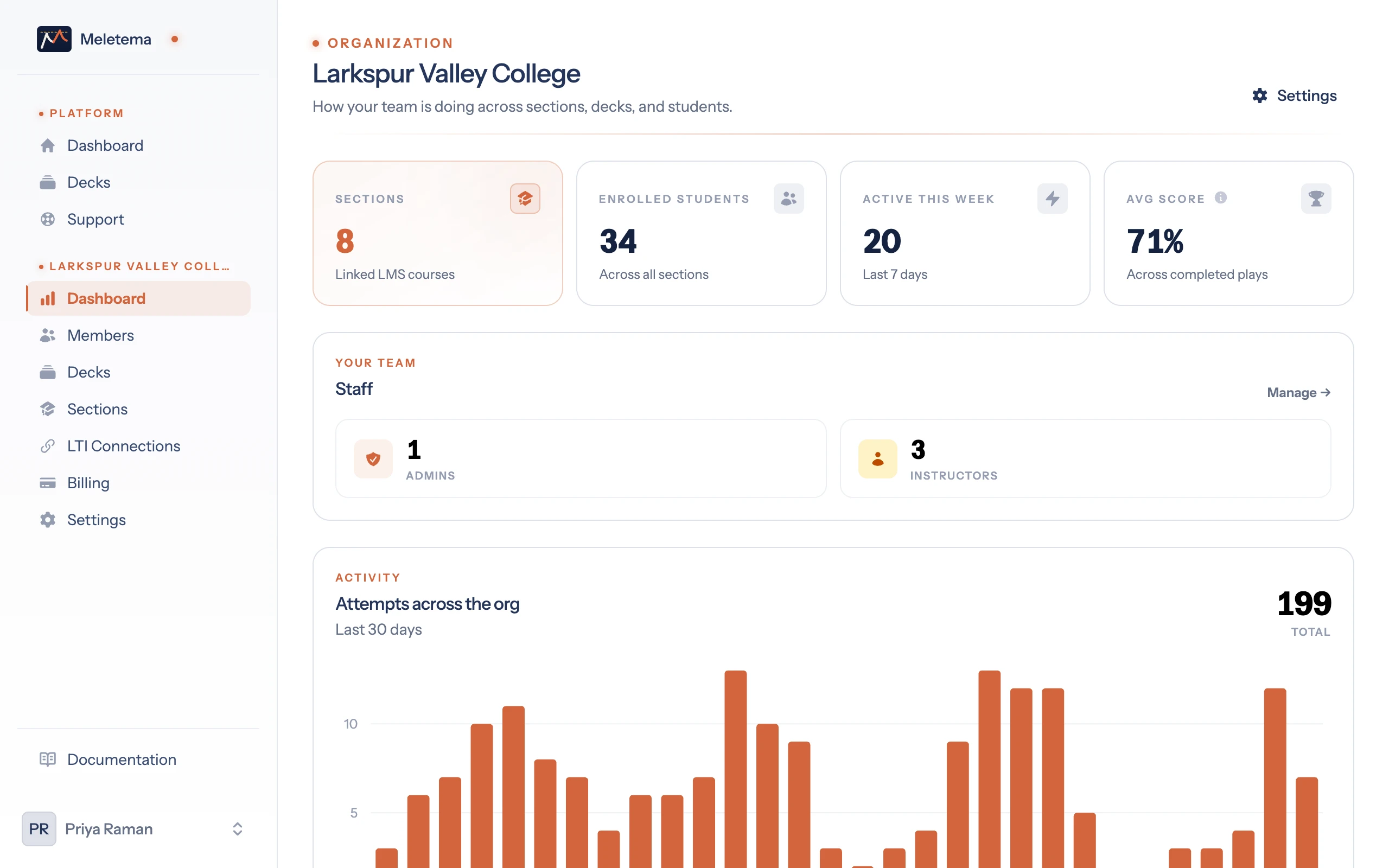
Each organization has its own dashboard at /org/{slug}/dashboard, separate from your personal one. Where the personal dashboard is "how are my decks doing", the org dashboard is "how is the whole team doing".
What's on it
- Top stats — total sections, enrolled students, active this week, average score across all org plays.
- Staff breakdown — count of admins vs. instructors in the org.
- Activity chart — last 30 days of attempts across all org decks.
- Top decks — the most-attempted decks with cards, attempt count, and avg score.
- Recent completions — the latest finished attempts across the org with student, deck, score, timestamp.
Permissions
The org dashboard is viewable by org admins and instructors. Super-admins see it for every org.
Sidebar shortcut
When you log in, the in-app sidebar shows a section for each org you're an admin or instructor in. The dashboard is the first link in that section.
If you're only in one org, the section uses the org's name. If you're in multiple, they're collapsed into a single "Admin" or "My Sections" group.